For vendors
Orders while you cook.
A second line that never gets tired. Guests order from their phones, your kitchen display shows the ticket, you cook. Paid on your prices, one fee shown up front, straight to your bank through Stripe.
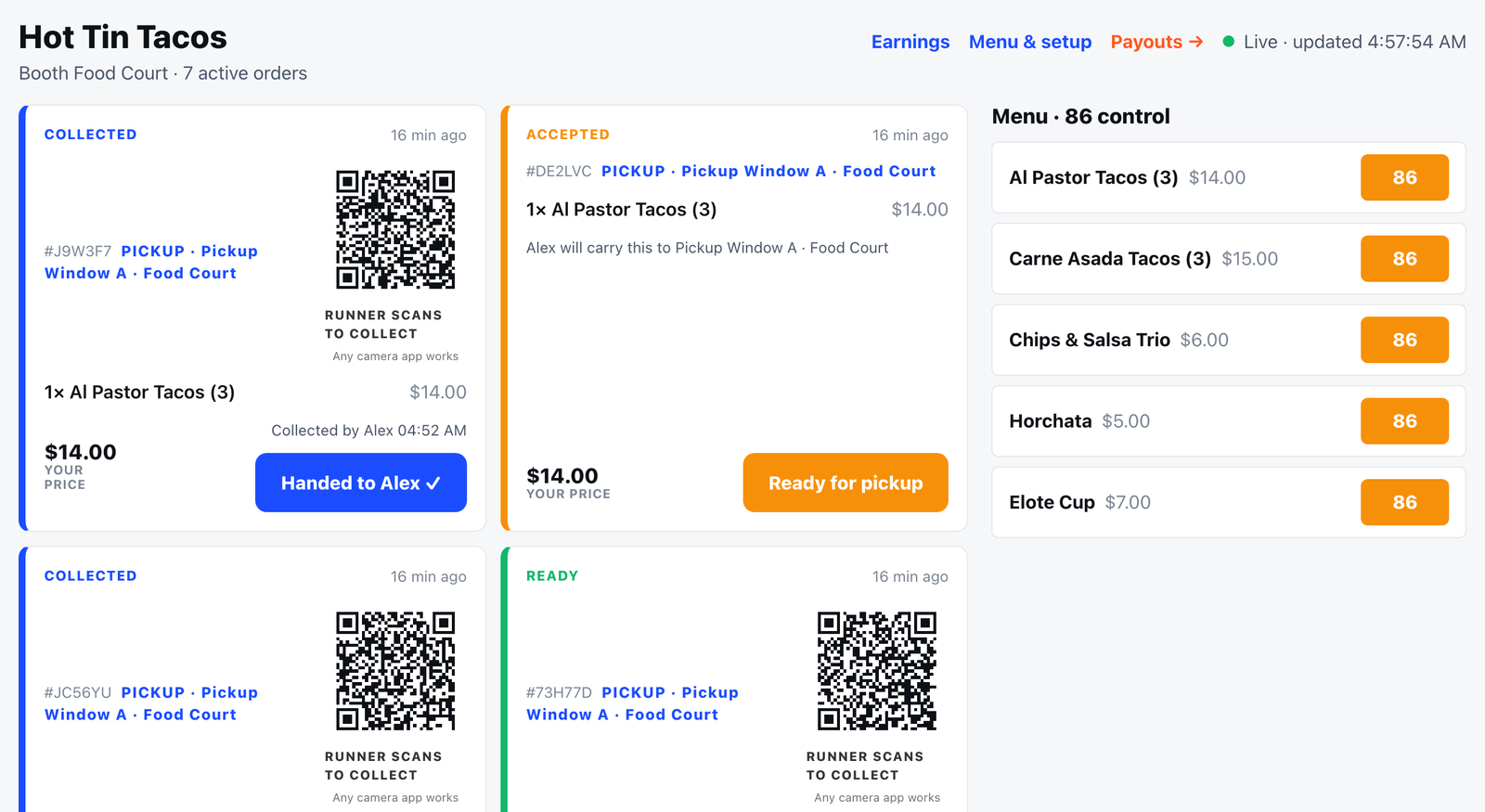
Built for a booth, not a restaurant
Fifteen-minute setup
From your phone: business name, a photo, your menu with prices and prep times, Stripe payouts. Done before load-in.
Your prices, your money
You are paid on the prices you set. The one platform fee is shown before you list anything. No surprises on the earnings page.
86 in one tap
Sold out of brisket? Tap once and it disappears from every guest's phone instantly. Tap again when it is back.
Pushes that wake you
The Serve Butler Ops app buzzes the tablet when a paid order lands and when a runner is on the way. No more staring at a screen.
Two-party hand-over
Runners scan your kitchen card; you confirm the hand-off. If a bag goes missing, the record says who had it.
Earnings you can read
Your sales, fee, refunds, earned, paid out and coming to you, live. The same numbers settlement pays from.
Get set up
Working an event that runs Serve Butler?
Your organizer gives you an event code; setup takes about fifteen minutes from your phone. If your organizer is not on Serve Butler yet, tell us about the event and we will reach out to them.
Tell us where you cook
Food trucks, festival kitchens, concession stands. We will get you onto the events you work.
Vendor questions
What does it cost me?
One platform fee, shown to you on the menu step before you list a single item. No monthly charge, no hardware to buy, no contract. You are paid on your own prices.
Do I need a Stripe account?
No. Payouts run on Stripe Connect; setup takes about five minutes with a bank account or debit card and an ID. If you cannot finish on the day, your sales are held for you, never lost, and pay out as soon as the account is enabled.
What do I need at the booth?
Any tablet or phone with a browser. The kitchen display shows new orders, lets you accept, mark ready and hand off, and pull an item in one tap when you run out.
How do customers get the food?
Booth pickup by a 4-character code, a pickup window staffed by a runner, or delivery to the guest's spot at events that run it. For runner orders you scan or tap to confirm the hand-over, so there is a record.
Can I use my own menu photos?
Yes. Upload from the camera roll; the built-in polish pass levels, crops and sharpens them in a second. Good photos sell.
When do I see my money?
Earnings update live during the event. Stripe pays out daily to your bank, or instantly to a debit card for a small Stripe fee.